Everything in one quiet window.
Pick your mic, choose a hotkey, flip on AI cleanup. Murmur sits in your menu bar and stays out of the way until you hold to talk.
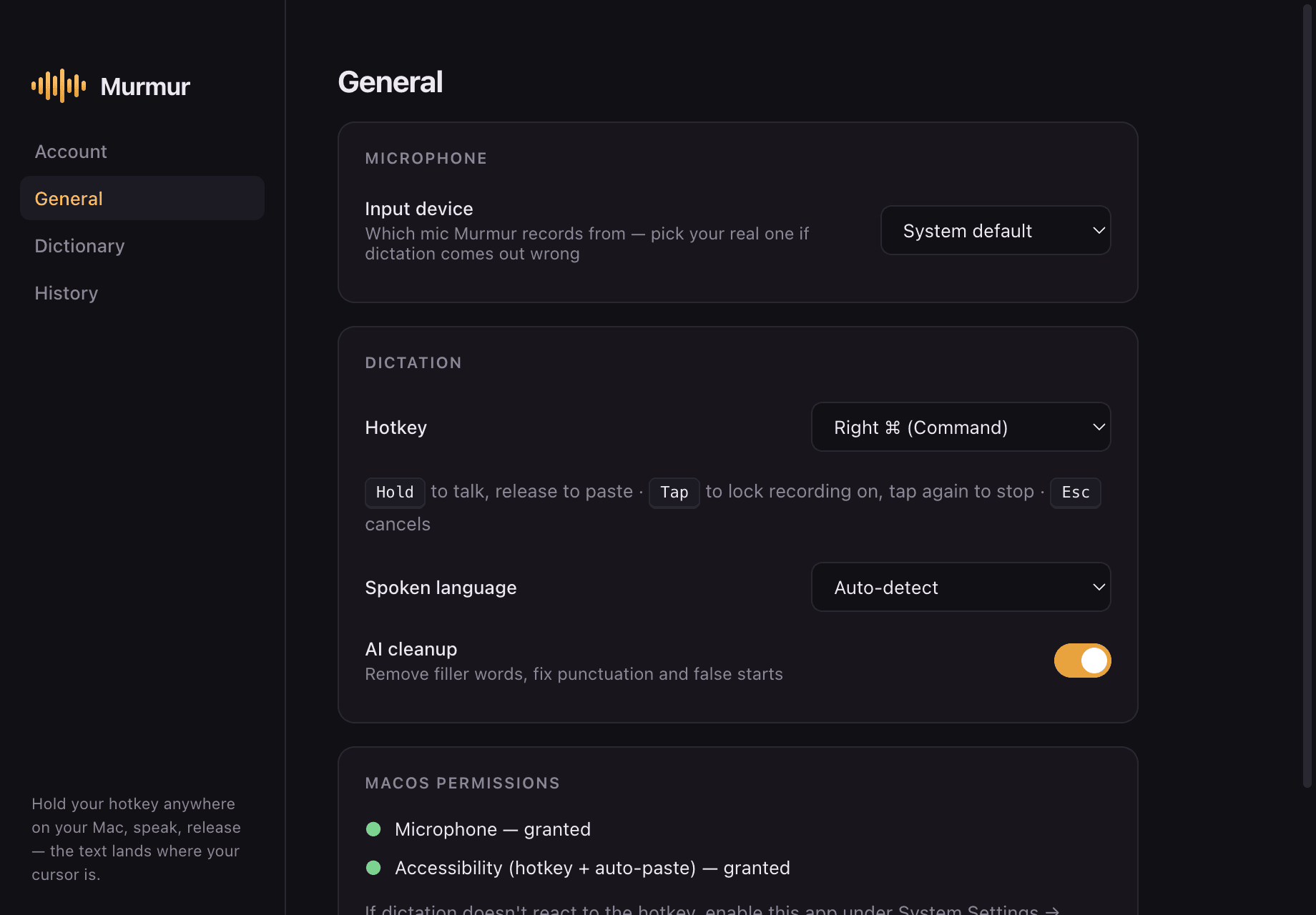
Murmur is system-wide dictation for your Mac. Hold a key, speak, release — about a second later your words land wherever your cursor is, already cleaned up. Speaking is 3–4× faster than typing.
Pick your mic, choose a hotkey, flip on AI cleanup. Murmur sits in your menu bar and stays out of the way until you hold to talk.
Hold Right ⌘ — or remap it to any key or shortcut you like. A small pill appears with a live waveform, so you know it's listening.
Ums, false starts, changing your mind mid-sentence — all fine. Speak naturally; Murmur handles the mess.
About a second later, clean text is pasted right where your cursor is — Slack, Gmail, Notion, VS Code, anywhere.
Long dictation? Tap the hotkey instead of holding to lock recording on. Esc cancels anytime.
Filler words, false starts, and self-corrections disappear. Punctuation and capitalization are fixed. Your meaning and tone are never rewritten.
The text lands wherever your cursor is — Slack, Gmail, Notion, VS Code, iMessage, your terminal. No copy-paste dance, no switching windows.
Powered by Groq inference — transcription typically returns in ~1 second. And if anything goes wrong mid-flight, your raw words are kept in history and on your clipboard. Dictation never fails silently.
English, French, Arabic, German, Spanish, Italian, Portuguese, Dutch, Turkish, Hindi, Japanese, Korean, and Chinese. If typing in English is slower than speaking it, Murmur closes the gap.
Teach Murmur the names, brands, and jargon it must get right. Once learned, always spelled correctly.
Everything you dictate is saved locally and searchable, with one-click copy. It never leaves your Mac.
Pick your microphone, remap the hotkey to any key, and watch the live waveform confirm every word is being heard.
If typing hurts — RSI, wrist pain, long days at the keyboard — dictation is real relief. Write your emails, messages, and docs without touching the keys.
A free account and you're dictating — no credit card, no API keys, nothing to configure.
Your dictation history is stored locally. We can't read it; nobody else can either.
Your audio is processed transiently for transcription and immediately discarded. It's never saved, anywhere.
Works out to under $5 a month
Wispr Flow is $15/mo. superwhisper is $8.49/mo. Murmur is $7 — and $59 a year works out to under $5 a month.
Free plan included — dictating within a minute of downloading.
Download for macOSmacOS 13+ · Apple Silicon & Intel